Set up alerts
This is the No.2 letter shared with Columns Flow builders.
In my last email, I shared the core concepts behind Columns Flow. If you have not seen it yet, you can read it here.
In that letter, I highlighted the opportunity created by AI maturity and our focus on Integration & Automation. I also shared this idea with a public community and received thoughtful comments and questions.
Overall, I see this as a positive validation signal. The discussion covered a wide range of topics, from AI behavior and product direction to pricing. If you are interested, you can join the discussion.
What Is New?
Alerts
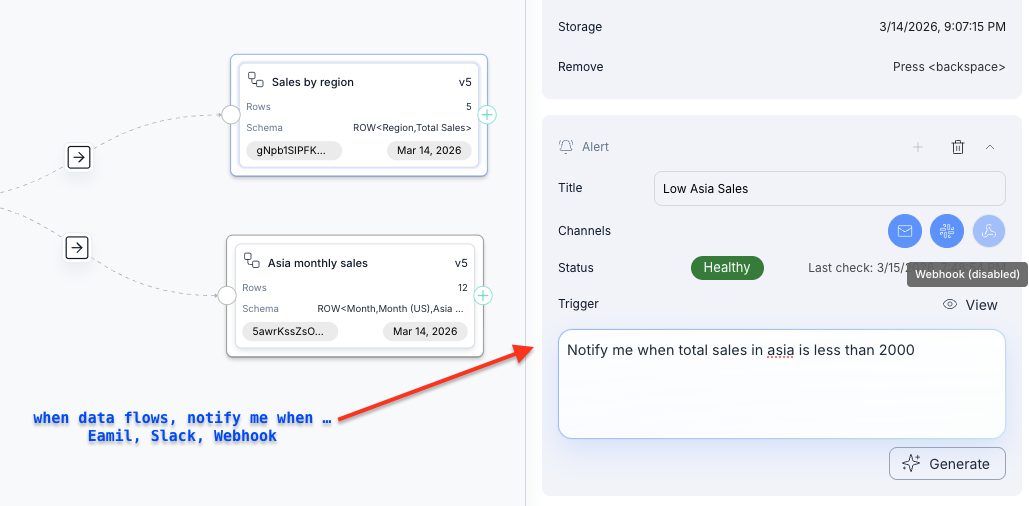
A Flow defines how your data is transformed. An Alert helps you monitor outcomes so you can react quickly when something unexpected happens.
Adding an alert is simple. Type a sentence like:
Notify me when total sales in Asia is less than 2000.
Alerts can be delivered to email, Slack, or your own system via webhook.
Change Handling
Another common question is:
What happens if my source data changes?
For example, what if a connected spreadsheet is deleted or a field is renamed?
Columns Flow checks schema compatibility on every sync. If a change breaks expected structure, the flow fails fast and notifies you.
You can then fix the source or update the flow to handle the change.
Integrations Revamp
Google Sheets remains a critical integration for business users, while HTTP APIs are often the default for developers.
We made major improvements to both:
- Google Sheets: connect any specific sheet tab via link, not only the first tab.
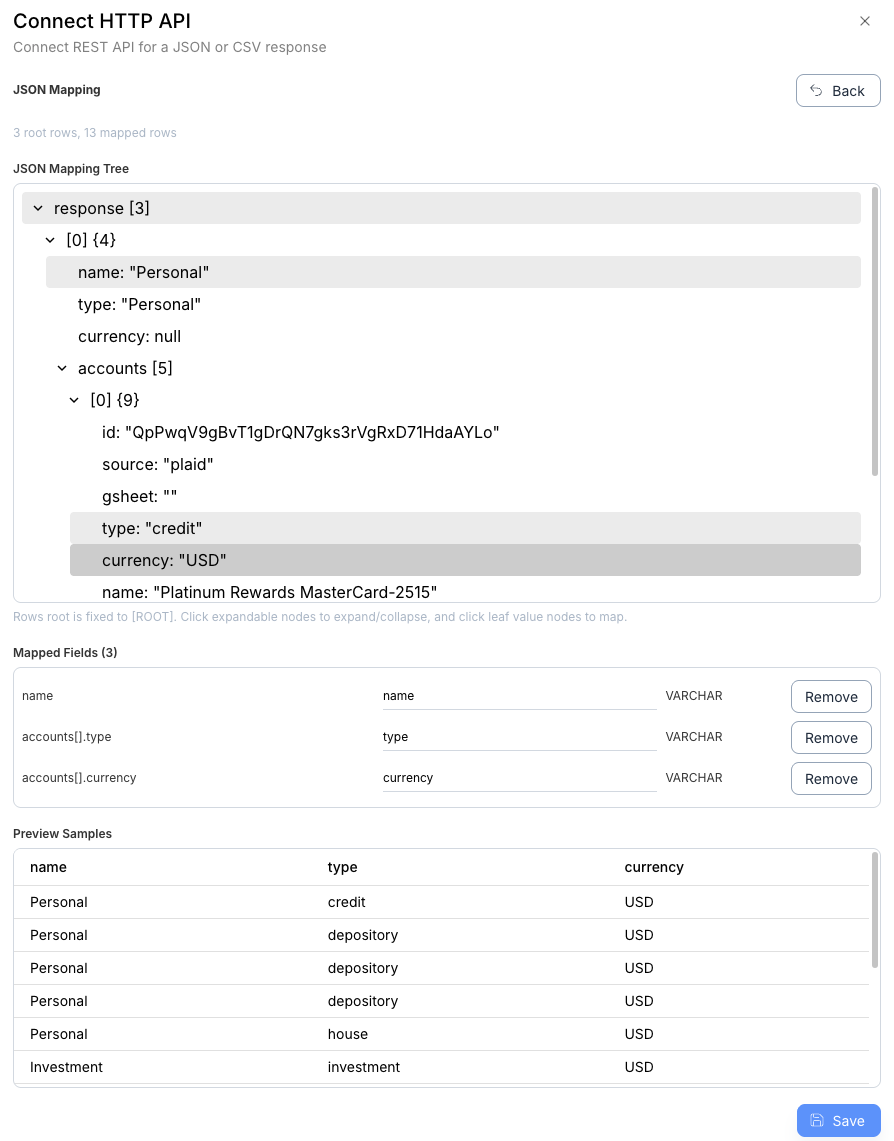
- HTTP API: select any node in a JSON tree as your source payload.
JSON API example:
Connected once, Flow forever.