Google Sheets
Connecting Google Sheets is straightforward. Use either a sheet URL or spreadsheet ID.
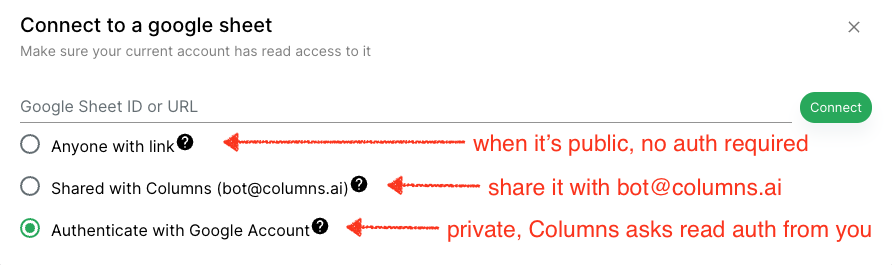
Access Options
Choose the access method that matches your security model.
Public Link Access
If the sheet is publicly readable, Columns can fetch it anonymously.
Authenticated Access
For private sheets, connect your Google account through OAuth so Columns can read the data securely.
Sheet Selection
Columns supports selecting specific sheet tabs when connecting.
Sync Behavior
Google Sheets supports on-demand sync. After updating your sheet, trigger sync in Columns to refresh your connected dataset.